
Rowing Machine Monitor Settings Explained
Related: Rowing Machine Resistance Explained
You probably think the monitor on a budget rower is just a glorified stopwatch with a calorie readout. And honestly, for a lot of machines, you're right. But after two years of living with my $200 magnetic rower in the garage, and a decade of coaching on Concept2s, I can tell you the monitor is the difference between rowing and just pulling on a rope.
I'm Jess, former collegiate rower, and I've spent more hours staring at these little screens than I care to admit.
The good news? You don't need a $1,000 monitor to get the data that matters. You just need to know what you're looking at.
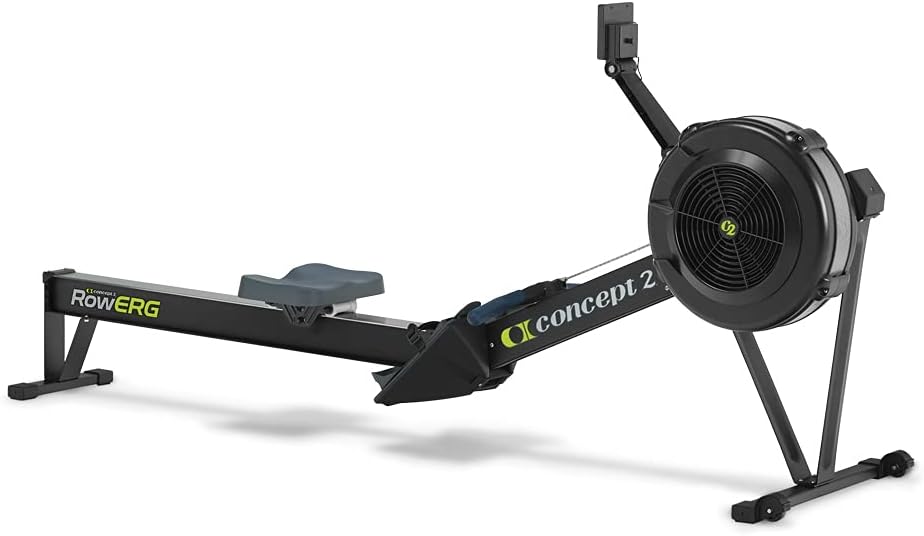
Concept2 RowErg Indoor Rowing Machine - PM5 Monitor, Device Holder, Adjustable Air Resistance, Easy Storage
The gold standard. Bulletproof monitor, shows split, drag factor, the works.
Visit on Amazon →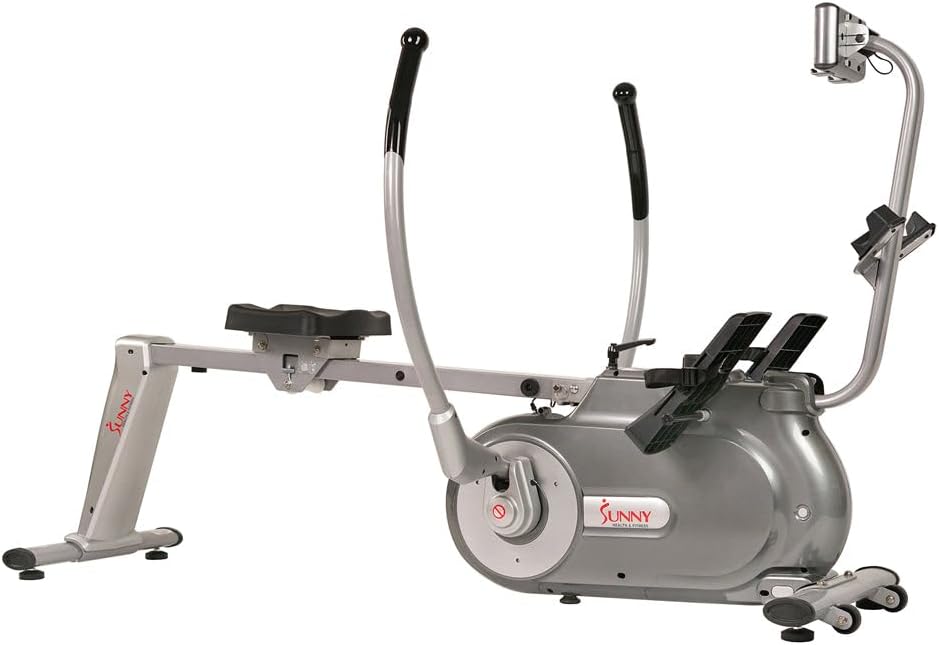
Sunny Health & Fitness Full Motion Magnetic Rowing Machine Rower with Advanced LCD Display, Elevated Seat, 265 LB Max Weight and Foldable - SF-RW5864
The Concept2 Model D rowing machine features an advanced PM5 Performance Monitor, improved ergonomically designed handles, adjustable foot-rests, and a flywheel designed for smooth movement with minim
Visit on Amazon →The Truth About the Monitor: It's Not About Calories
Here's the thing that drives me nuts. Everyone hops on a rower and watches the calorie number tick up. Calories are a vanity metric. They're an estimate based on a formula that doesn't know your weight, your age, or how hard you're actually working.
The number that matters is your split. That's your time per 500 meters. It's the only honest measure of how fast you're rowing.
A good monitor shows you that number live. A bad one shows you a little bar graph and a "calories" readout that's basically a guess.
The Concept2 shows split. My budget magnetic rower shows split too, which is one of the reasons I kept it.
If you're looking at a machine and the monitor doesn't show a split, walk away. You're not buying a rower, you're buying a prop.
How I Tested the Settings
I didn't just sit down and row for ten minutes. I've been coaching on these machines for over a decade, and I've owned my budget magnetic rower for two years. I run 20-minute steady-state sessions, sprint intervals, and the tall-person/short-person fit test.
My dog Mabel, a 55-pound lab mix, has slept on more than one of these machines while I coached remote sessions.
She's the official seat-tester. If she doesn't roll off mid-stroke, the glide is smooth enough. For this guide, I fiddled with every button, every setting, and every mode these monitors offer.
I wanted to know what actually helps you row better, and what's just marketing fluff.
Split Time (The Only Number That Matters)
This is your time per 500 meters. It's the rower's version of pace. If you see 2:00, that means you're rowing at a pace that would cover 500 meters in two minutes. It's the most honest, direct feedback you can get.
A good monitor displays this in big, bold numbers. My budget rower shows it clearly, and I use it for every single workout.
I coach beginners to start at a 2:30 split and work down from there. It's not about how fast you're going, it's about consistency.
Can you hold a 2:15 split for 20 minutes without your form falling apart? That's the goal.
Stroke Rate (SPM)
This is how many strokes you take per minute. It's not a measure of effort, it's a measure of rhythm. Most people row at a 24-30 stroke rate. If you're doing a steady-state workout, aim for a 20-24. If you're sprinting, you might hit 30+.
The monitor tracks this, and it's useful for making sure you're not just flailing. A high stroke rate with a slow split means you're not driving hard enough through your legs.
Distance and Time
Simple, but important. These are your training logs. Distance tells you how far you've gone. Time tells you how long you've been at it. These are the numbers you use to track progress over weeks and months.
I have a notebook in my garage where I write down my 5k time and my 30-minute distance. It's not fancy, but it's honest.
The monitor on my budget rower tracks both, and while the screen is a little cheesy, the numbers are accurate.
That's all I need.
The "Cheesy" Screen Problem
The budget monitor is the weakest link on any cheap rower. It's a small, battery-powered screen, about 3x3 inches, and it cracks if you look at it wrong. I've seen one buyer's granddaughter drop the handle from 8-10 inches and shatter the screen in three places.
I've seen another buyer, a 6-foot, 190-pound man, report the same thing. It's a pattern. But here's the twist: the company that made my rower sent me a free replacement monitor within a week when mine cracked.
I emailed them, offered to pay, and they said no. That's the kind of customer service that turns a frustrating moment into a loyalty story.
The screen is cheap, but the support is solid. That's a trade-off I'm willing to make.
Drag Factor: The Setting Most People Miss
This is a Concept2 feature, and it's a real upgrade for anyone serious about rowing. Drag factor is a measure of how much air resistance the flywheel provides. It's not a setting you choose directly; it's a number that changes based on the damper setting and the cleanliness of the machine.
A higher drag factor means the flywheel slows down more between strokes, making each pull feel heavier.
A lower drag factor means a lighter, faster feel. The Concept2 monitor shows you the drag factor number.
My budget magnetic rower doesn't. It just has a resistance dial. And you know what? That's fine. For a beginner, the dial is easier to understand.
But if you're serious about tracking your performance over time, the drag factor matters. It tells you if you're rowing with the same resistance workout to workout, which matters if you're trying to hit a specific split.
The Bluetooth and App Trap
This is my pet peeve. Some of the bigger-name rowers, the ones with iFIT integration, require Bluetooth to do anything. You want to see your split? You need your phone. You want to change the resistance? You need the app.
I've seen reviewers complain that the app requires Bluetooth to do "ANYTHING," and that's a dealbreaker for me.
A rowing machine should work without your phone. Period. My budget rower has a simple, standalone monitor.
It doesn't connect to anything. It just shows me time, distance, split, and stroke rate. That's all I need.
I don't need a subscription. I don't need a leaderboard. I just need to row.
The Size Deception and the "Folding" Lie
Here's a thing I've learned: product photos lie. That sleek rower in the listing? It's often smaller than it looks. One buyer, a 6-foot, 190-pound man, found his machine "plenty long," but smaller buyers might not be so lucky.
I'm 5'6", and I had to "scrunch up" to get the right angle on the foot straps, which are overly long.
And "foldable" is a loaded word. Most of these machines don't fold, they stand upright. That's fine if you know what you're getting, but it's a surprise for people expecting a fold-flat design.
My rower stands upright in the corner of my garage, and I tuck it out of the way when I'm not using it.
It takes up less floor space than you'd think. But it's not folding. That's just marketing.
The Noise Question, Answered
First-time buyers always ask: "How loud is it?" And honestly, they have no reference point. They hedge, "seems quiet enough to me," because they've never used another machine. Here's my take: the magnetic rowers are quiet.
Far quieter than the air-resistance Concept2, which has that distinctive whoosh. If noise is your concern, magnetic is the way to go.
I can row at 6 AM while my wife is still asleep in the next room. That's not something I could do with a Concept2 in the house.
It's a real advantage, and one of the reasons I own a magnetic rower at all.
The Bottom Line
Your monitor is your coach. It's the only feedback you get about your performance. If it only shows you calories, you're not rowing, you're just pulling. Get a machine that shows you split, stroke rate, and time.
The Concept2 is the gold standard, but a budget magnetic rower with a "cheesy" screen can get the job done if it shows the right numbers.
I've been using mine for two years, and the monitor is still working, even after Mabel has slept on it.
That's good enough for me. Choose the machine that fits your budget and your space, but don't compromise on the data.
You'll thank yourself in a month.